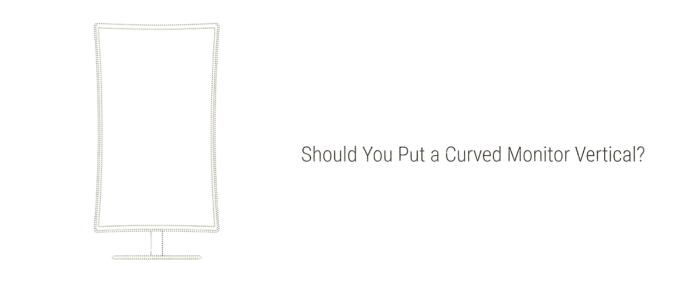
The idea makes sense on paper. You have a curved ultrawide or gaming monitor, you want more vertical space for reading code or long documents, so you rotate it 90 degrees. The problem is that a curve designed for horizontal use becomes a completely different shape in portrait mode, and not in a useful way.
This is not a dealbreaker for every situation, but it is worth understanding exactly what changes before you physically rotate an expensive monitor on a stand that may not even support pivot.
What the curve actually does when rotated vertically
A curved monitor is built around a horizontal radius. The 1800R or 1500R number you see in specs refers to how tight the curve is across the width of the screen. The idea is to match the natural arc of your field of vision when you are looking left and right across a wide display.
When you rotate that screen 90 degrees, the curve no longer wraps around your horizontal field of view. It now bows toward you at the top and bottom of the display. The left and right edges of what was the screen are now the top and bottom, and they curve slightly forward. The center of the screen is now further from your eyes than the top and bottom edges are.
For reading text or looking at a code editor, this means the top and bottom of your screen are at a slightly different focal distance than the middle. It is not dramatic on most monitors, but it is noticeable on anything with a tighter curve like a 1500R gaming display. On a more modest 3000R curve it matters less, but it still means the screen geometry was not designed for this orientation.
Most curved monitors do not include a stand with a pivot function. Check your stand specs before attempting any rotation. Forcing a monitor to rotate on a stand that was not built for it can damage the hinge mechanism or crack the panel backing. If your stand does not support pivot, you need a VESA arm to rotate it safely.
Who it works for and who it does not
Curved vs flat monitor in portrait mode: what actually changes
| Factor | Curved monitor vertical | Flat monitor vertical |
|---|---|---|
| Geometry | Curve bows toward you at top and bottom edges | Completely flat, no distortion |
| Text readability | Slightly worse at top and bottom extremes | Consistent across entire screen |
| Stand support | Rare, most curved stands have no pivot | Many flat monitors include pivot as standard |
| Design work | Straight lines appear curved near edges | Accurate representation of straight lines |
| As a secondary glance screen | Fine for Slack, docs, music, casual use | Also fine, no advantage either way |
| Gaming in portrait | Actually interesting for vertical shooters or pinball | Also works, just less immersive |
How to set a curved monitor in portrait mode properly
If you have a curved monitor and still want to try portrait mode, here is the right way to do it without damaging anything.
What to buy instead if you want a proper vertical monitor
If your main goal is a dedicated vertical screen for reading, coding, or a secondary display, buy a flat monitor designed for it. You will spend less and get a better result.
The Dell UltraSharp U2725QE is the best flat monitor for vertical use right now. 27 inches, 4K, IPS panel, pivot stand included, and it doubles as a Thunderbolt hub. It is not cheap at $760, but it is the right tool if the vertical screen is going to be a primary display.
For a budget option, the AOC 27G4H at around $200 to $250 has a full pivot stand that rotates both directions, a Fast IPS panel with wide viewing angles, and a clean narrow bezel. It is the pick if you want a vertical secondary screen without spending a lot.
If you are a coder specifically, the BenQ RD240Q has a 16:10 aspect ratio that gives you extra vertical space even in landscape mode. When rotated, that becomes extra height, which means more lines of code visible at once than a standard 16:9 monitor in the same orientation.
The curved monitor in portrait mode is one of those ideas that looks great in a Reddit setup photo and feels mediocre the moment you sit in front of it for a full work day. The curve was engineered to solve a specific problem in landscape mode. Rotating it 90 degrees does not carry that solution across, it just creates a new and different shape you did not ask for. If you already own a curved monitor and you want to experiment, go ahead. But if you are shopping for a vertical screen, buy flat. It costs less and works better for the job.